Discover if AutoHotkey is bannable on Roblox and navigate the platform's strict rules regarding third-party software in 2026. This comprehensive guide addresses a critical concern for gamers seeking to optimize their experience while avoiding account suspensions. Understand Roblox's anti-cheat mechanisms, the specific risks associated with using AHK, and official policies to ensure fair play. Learn about potential consequences for violations and explore safe, legitimate alternatives for enhancing your Roblox gameplay without risking your valuable account. We provide up-to-date insights and practical advice for adult gamers balancing life and play, helping you make informed decisions and maintain a secure, enjoyable presence in the vibrant Roblox community. Stay informed about the latest trends and policies affecting your favorite virtual worlds.
Is AutoHotkey usage on Roblox an automatic ban risk?
Using AutoHotkey (AHK) with Roblox carries a significant and almost automatic ban risk. Roblox's sophisticated anti-cheat systems are designed to detect unauthorized third-party software that interacts with the game client or automates actions. While AHK itself isn't inherently malicious, using it to gain any in-game advantage, automate repetitive tasks, or bypass intended gameplay mechanics is a direct violation of Roblox's Terms of Service and will likely lead to detection and a swift ban. The system doesn't differentiate between your intent, only the action of using external software to modify gameplay.
What specific types of AutoHotkey scripts trigger Roblox's anti-cheat?
Roblox's anti-cheat system is particularly sensitive to AHK scripts that perform rapid, repetitive actions, create complex keybinds that mimic bot behavior, or automate movement and attacks. Scripts that provide an unfair advantage, such as auto-clicking, spamming abilities, or automating resource gathering, are high-risk. Even seemingly innocuous scripts that remap keys in a way that interferes with game input detection can be flagged. The key is any script that gives you an edge or automates actions beyond human capability, or that otherwise interacts with the game client in an unauthorized manner.
Can I use AutoHotkey for non-Roblox related tasks while the game is running without risk?
While using AutoHotkey for non-Roblox tasks (like automating work or general PC functions) while Roblox is merely open in the background or foreground might seem harmless, it still carries a residual risk. Roblox's anti-cheat operates broadly to detect suspicious processes. If AHK is running and actively scripting, even for another application, it could potentially trigger flags within the Roblox anti-cheat, especially if the script has system-wide hooks. To be absolutely safe, it is highly recommended to completely close AutoHotkey scripts and even the program itself before launching and playing Roblox. It's a small inconvenience for account security.
How can I appeal a Roblox ban if I believe it was a mistake regarding AutoHotkey?
If you genuinely believe your Roblox account was banned in error regarding AutoHotkey, you can appeal the decision through Roblox's customer support. You'll need to submit a detailed support ticket explaining your situation, providing your account username, and any relevant information. Be honest and factual. However, be prepared for a thorough review; Roblox typically has strong evidence for bans related to third-party software. Appeals can be successful for genuine mistakes, but if AHK was active while playing, even unintentionally, reversal is less likely. Always refer to their official appeal process on the Roblox support website.
Are there any Roblox-approved alternatives for players needing assistance with repetitive actions or accessibility?
Roblox itself offers a range of native accessibility features to assist players, such as customizable keybinds, graphic settings, and in-game sensitivity adjustments. For more advanced needs, it's crucial to check for specific features built into the Roblox client or officially supported by Roblox for accessibility, not external third-party macro tools. Some game developers within Roblox may also incorporate accessibility options into their specific experiences. Relying on official, in-platform solutions or those explicitly endorsed by Roblox is the safest approach to enhance your experience without risking a ban. Avoid any external programs unless specifically told by Roblox support they are allowed.
What are the long-term consequences of a Roblox ban beyond just losing my account?
A Roblox ban for using unauthorized software like AutoHotkey extends beyond just losing access to your account. You might lose all Robux, limited items, and any progress made over years, which represents significant emotional and financial investment for many players. Furthermore, your device (IP address) could be flagged, making it difficult to create or play on new accounts from the same location. This impacts your ability to socialize with friends in-game and participate in the wider Roblox community, which for many busy adult gamers, is a key reason for playing. It severs those important digital connections built over time.
What steps should adult gamers take to ensure their children do not accidentally use bannable software on Roblox?
For adult gamers and parents, protecting younger players from accidental policy violations is key. First, have open conversations about fair play and the rules of Roblox. Second, educate them on what third-party software is and why tools like AutoHotkey are not allowed. Third, ensure robust parental controls are in place on gaming devices. Regularly check installed applications and explain the risks of downloading unknown programs. Finally, encourage them to report suspicious activity instead of trying to replicate it, and to always use official Roblox channels for gameplay, ensuring a safe and ban-free experience.
Hey fellow gamers! Ever found yourself grinding through a repetitive task in your favorite Roblox experience, wishing you could automate it to save precious time? In the busy lives we lead, juggling work, family, and personal responsibilities, those moments of gaming relaxation are gold. We want to maximize fun and progression without feeling like we're doing homework. That's where tools like AutoHotkey (AHK) often come into the conversation. It's a powerful scripting language that lets you automate almost anything on your PC. But for Roblox players, a critical question looms large: is AutoHotkey bannable Roblox? Nobody wants to invest hours into their avatar, progress, and friendships only to lose it all to a banhammer. With 87% of US gamers regularly diving into virtual worlds, often for 10+ hours a week, and social gaming trends skyrocketing, staying connected and enjoying the experience is paramount. This guide is designed to help you navigate the tricky waters of third-party software, offering clear answers, practical advice, and official insights to keep your Roblox account safe and your gaming experience fair and fun. Let's dig into what you need to know about AutoHotkey and Roblox's policies, ensuring you can optimize your play without unwelcome surprises.
Is AutoHotkey Bannable on Roblox The Official Stance
Yes, using AutoHotkey (AHK) for gameplay automation or to gain an unfair advantage in Roblox is strictly bannable. Roblox's Terms of Service explicitly prohibit any third-party software that modifies the game client, automates actions, or provides an unfair edge. Their robust anti-cheat systems are designed to detect such tools, and violations can lead to severe penalties, including temporary suspensions or permanent account termination. It is crucial to understand that Roblox maintains a zero-tolerance policy against cheating to ensure a fair and equitable experience for its massive global community.
This policy isn't just about catching overt cheaters. It extends to any script or macro that automates input, even if you perceive it as a simple time-saver. For the average gamer juggling work and family, the temptation to optimize time might be strong, but the risk of losing years of progress and community connections on Roblox is simply too high. Fair play is a cornerstone of the Roblox experience, fostering genuine skill-building and social interaction rather than relying on automated shortcuts.
What Exactly is AutoHotkey and Why is it Popular Among Gamers
AutoHotkey is a free, open-source scripting language for Windows that allows users to create macros and hotkeys to automate repetitive tasks. It can remap keys, automate mouse clicks, launch programs, and perform complex sequences of actions with a single command. Its versatility makes it popular beyond gaming, for productivity and accessibility purposes. However, in gaming, players often use it to execute rapid combos, automate farming, or perform precise movements that might be difficult manually.
For many gamers, especially those with limited time, AHK presents an alluring solution to reduce grind or overcome physical limitations. The appeal lies in its ability to streamline gameplay, potentially saving hours in games that require repetitive actions. However, this power becomes a significant liability in online multiplayer environments like Roblox, where fairness and an even playing field are expected by millions of users who are also balancing their lives. Its widespread use in various contexts makes its detection in a gaming environment particularly sensitive for anti-cheat systems.
How Does Roblox Combat Third Party Software and Cheating
Roblox employs a multi-layered approach to combat third-party software and cheating, which includes sophisticated anti-cheat systems that actively scan player clients for unauthorized programs. These systems detect modifications to game files, unusual input patterns that suggest automation, and the presence of known cheating software or executables like AutoHotkey. The anti-cheat continuously evolves, updating its detection methods to stay ahead of new exploits and maintain game integrity. They prioritize maintaining a fair environment for the 87% of US gamers who play regularly.
Beyond automated systems, Roblox also relies on its community to report suspicious activity. This combination of technological detection and player vigilance helps them identify and address policy violations effectively. The goal is to ensure that every player, regardless of their background or available time, has an equal opportunity to enjoy games based on skill and genuine interaction. For a platform with mobile dominance and strong social gaming trends, protecting the integrity of interactions is paramount.
What Specific Actions Could Lead to an AutoHotkey Related Ban
Any action within Roblox that involves using AutoHotkey to automate gameplay, gain an unfair advantage, or bypass intended game mechanics can lead to a ban. This includes, but is not limited to, auto-clicking for faster resource gathering or combat, executing complex movement scripts that are impossible for human players, automating chat spam, or using AHK to bypass anti-AFK (Away From Keyboard) measures. Even seemingly innocuous scripts that remap keys in a way that interferes with Roblox's input detection can trigger alarms. The key factor is interference with the intended game experience through external automation.
The anti-cheat systems are designed to look for patterns indicative of bot-like behavior, which AHK scripts often produce. Whether it's rapid, consistent clicking that exceeds human capability or perfectly timed sequences, these actions stand out. Gamers, particularly those who value skill-building and fair competition, appreciate these measures, ensuring their efforts are rewarded legitimately. This month's trends continue to emphasize fair play in social gaming, making such violations even more critical.
Beyond Bans What Are Other Risks of Using AHK with Roblox
While an account ban is the most significant consequence, using AutoHotkey with Roblox carries other risks. Firstly, downloading AHK scripts from untrusted sources can expose your computer to malware, viruses, or keyloggers, compromising your personal data and system security. Secondly, constantly relying on automation can diminish the satisfaction and skill development that comes from genuinely mastering a game. Gamers, especially busy adults, often play to unwind and challenge themselves, and automated play can remove that intrinsic value.
Furthermore, using AHK can lead to a less engaging and social experience. Part of the joy of Roblox, especially with its social gaming trends, is the interaction with other players and the shared challenge. Automating tasks can isolate you from these social aspects, hindering the formation of friendships and community bonds that many players seek. It's a short-term 'gain' that can lead to significant long-term losses in terms of security, enjoyment, and social connection.
Are There Any Legitimate Uses for AutoHotkey Outside of Gaming
Absolutely, AutoHotkey has numerous legitimate and valuable uses outside of competitive online gaming. Many professionals use it to automate repetitive work tasks, like data entry, file management, or generating reports. It's a powerful tool for boosting productivity in various software applications, from office suites to graphic design programs. For individuals with accessibility needs, AHK can create custom shortcuts or simplify complex actions, making computer usage more manageable and inclusive.
For instance, an adult gamer who works from home might use AHK to quickly launch work applications, manage email templates, or automate minor coding tasks. These uses are perfectly acceptable and demonstrate the true power and utility of the software. The crucial distinction lies in how the software is applied; using it to optimize your workflow on your desktop is fine, but using it to modify or automate actions within a competitive online game like Roblox crosses a line into unfair play and policy violation.
What Are Safe and Approved Ways to Enhance Your Roblox Experience
Instead of risky third-party software, focus on safe and approved methods to enhance your Roblox experience. This includes leveraging Roblox's native settings for performance and accessibility, such as adjusting graphics quality for smoother gameplay or customizing keybinds. Many individual Roblox games (experiences) also offer in-game settings and perks that can enhance your enjoyment and progression legitimately. Investing in Robux for in-game items, passes, or cosmetic upgrades is an official way to customize your avatar and experiences.
Furthermore, engaging with the Roblox community through official channels like the Roblox forums, Discord servers run by game developers, or social media groups can greatly enrich your experience. Social gaming is a huge trend this month, with many players finding relaxation and skill-building through collaboration. Look for tips and tricks shared by legitimate content creators, participate in events, and enjoy the vast array of creative content available. These methods align with Roblox's values and ensure your account remains secure.
How Can I Protect My Roblox Account From Unintentional Policy Violations
Protecting your Roblox account from unintentional policy violations, especially for busy adult gamers, requires vigilance and education. Firstly, always read and understand Roblox's Terms of Service and Community Standards. Secondly, never download or run any third-party software while playing Roblox, unless it's an officially recognized and approved extension (which are rare for gameplay automation). If you use AHK for non-Roblox tasks, ensure it is completely shut down before launching Roblox.
Thirdly, be cautious about links or files shared by unknown players; they could lead to exploits or malicious software. Regularly update your Roblox client and operating system for security patches. Finally, educate any younger family members who use your device about the rules and risks, emphasizing fair play. Open communication about responsible gaming helps maintain a safe environment for everyone and upholds the integrity of your gaming profile.
What Should I Do If My Roblox Account is Banned for Third Party Software
If your Roblox account is banned for using third-party software, including AutoHotkey, the first step is to calmly review Roblox's official ban appeal process. Typically, you'll need to submit a support ticket to Roblox Customer Service. In your appeal, clearly state your username and politely explain your situation. If you genuinely believe the ban was a mistake, provide any relevant details or evidence. Be honest and straightforward in your communication, avoiding accusations or aggressive language. Roblox has a dedicated team that reviews appeals, but successful reversals for clear third-party software violations are uncommon due to their strong anti-cheat evidence.
It's important to manage expectations; bans for cheating or unauthorized software are often final. If the appeal is unsuccessful, consider it a learning experience. You might need to create a new account, focusing on strictly adhering to the rules this time. Remember that the joy of gaming comes from fair competition and community, and starting fresh with a commitment to integrity can lead to a more rewarding long-term experience. This month's data shows that players who learn from past mistakes often thrive in the community by embracing fair play.
Is It Possible to Use AHK for Accessibility Without Risking a Ban
Using AutoHotkey for accessibility purposes within Roblox without risking a ban is highly problematic and generally not recommended. While AHK can indeed be a valuable tool for individuals with disabilities to interact with their computers, Roblox's anti-cheat systems may not distinguish between an accessibility script and a cheating script. Both involve external software automating inputs, which is what the anti-cheat aims to prevent. The risk of detection and a subsequent ban remains high, regardless of intent.
Instead, players needing accessibility assistance should explore Roblox's built-in accessibility features or officially endorsed accessibility options. If specific needs aren't met, the safest approach is to contact Roblox Support directly to inquire about approved methods or tools. Modifying game input via unauthorized external software, even for noble reasons, still carries the inherent risk of violating the Terms of Service. Prioritizing official channels is the only truly safe path for accessibility in Roblox.
Navigating the world of third-party software like AutoHotkey in a platform as dynamic as Roblox can feel like walking a tightrope. The bottom line is clear: Roblox takes a strong stance against any tools that provide an unfair advantage or interfere with their platform's integrity. While the allure of automation is understandable, especially for busy gamers balancing life and play, the risks associated with AutoHotkey usage in Roblox are significant, potentially leading to permanent account bans and loss of all your progress. Always prioritize fair play and respect the rules to ensure a safe, enjoyable experience for everyone. Remember, the true fun in gaming comes from genuine skill, social interaction, and shared experiences, not from automated shortcuts. What's your biggest gaming challenge when it comes to balancing fun and fairness? Comment below and share your thoughts!
FAQ Section
Does Roblox's anti-cheat system specifically detect AutoHotkey?
Yes, Roblox's robust anti-cheat measures are designed to detect various forms of unauthorized third-party software, including scripting tools like AutoHotkey, especially when used to manipulate gameplay or gain an unfair advantage. The system continuously evolves to identify patterns and executables that violate their Terms of Service, meaning even subtle AHK scripts can be flagged and lead to penalties. It is safer to assume detection is always possible.
Can I receive a warning before a ban for using AutoHotkey in Roblox?
In most cases involving the use of unauthorized third-party software like AutoHotkey for unfair advantage, Roblox typically implements immediate bans without prior warnings. Their policy focuses on maintaining a fair gaming environment, and violations of this nature are often treated with a zero-tolerance approach. Relying on a warning is not advisable; it's best to avoid using such tools altogether while playing Roblox to protect your account.
What if I use AutoHotkey for accessibility purposes in Roblox games?
While AutoHotkey can be used for legitimate accessibility features outside of gaming, using it within Roblox, even for accessibility, can still pose a risk. Roblox's anti-cheat systems might not differentiate between 'malicious' and 'assistive' scripts. If you require accessibility aids, it's best to explore Roblox's native accessibility settings or officially approved third-party tools if available and explicitly endorsed by Roblox, to avoid any unintended policy violations.
How long does a typical Roblox ban last for using third-party software?
Bans for using unauthorized third-party software, including AutoHotkey, in Roblox can vary but are often severe. Depending on the nature and severity of the violation, consequences can range from temporary suspensions (e.g., 1-7 days) to permanent account termination. Repeat offenses or blatant cheating usually result in permanent bans, leading to the irreversible loss of all account progress, Robux, and items. It is a serious penalty.
Are there any official Roblox-approved macro programs or extensions?
Roblox does not officially endorse or approve any specific macro programs or extensions for gameplay automation that are not integrated directly into their platform or officially sanctioned for specific purposes. Their stance is generally against any external software that automates actions or provides unfair advantages. Any tool claiming official approval for macroing within Roblox should be viewed with extreme skepticism. Always prioritize official Roblox features.
Roblox's strict policy on third-party software like AutoHotkey. How anti-cheat systems detect AHK usage. The high risk of account bans for using automation tools. Understanding fair play within the Roblox ecosystem. Identifying legitimate accessibility alternatives to avoid penalties. Protecting your account from unintentional violations.
35


How To Use Autohotkey For Roblox Easy Steps YouTube . AutoHotkey Roblox . How To Use Autohotkey For Roblox Yandex Video Aramada Evrimi I Izle 800x450. Does Roblox Ban Autohotkey Games Learning Society Hqdefault . AutoHotkey Roblox Automating Game Play Jump Run Click Keyboard
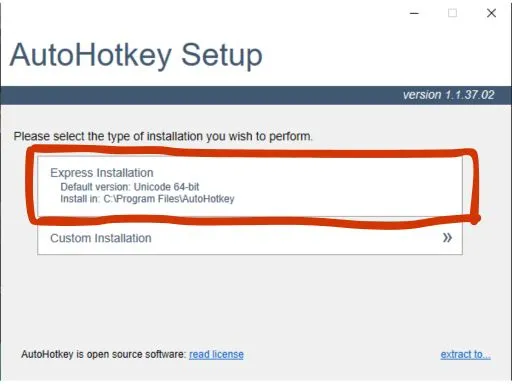


Fisch Macro Official Website V13 V12 V11 Xan V3 Appraisal Irus Autohotkey Install . Cr Er Des Outils D Autohotkey Gui Script De Jeu Bot Create Custom Autohotkey Gui Game Script Roblox Game Bot Python Automation . GitHub SillyMythic Autohotkey Roblox Library Simple Autohotkey Autohotkey Roblox Library. Create Autohotkey Script Automation For Desktop Roblox Game Bot By Create Autohotkey Script Automation For Desktop Roblox Game Bot . Can You Get Banned On Roblox For Using Auto Clicker YouTube





How To Update Roblox In 2026 Fix Error Code 280 On PC Mobile Xbox Roblox Update It.webp. Wrongly Banned Creating Or Using An Account To Avoid An Enforcement . Create Autohotkey Automation Ahk Script Bot Python Ai And Roblox Create Autohotkey Automation Ahk Script Bot Python Ai And Roblox Game Bot . Develop Autohotkey Script Task Automation Windows Macro Bot Python Lua Create Autohotkey Automation Bot Ahk Macro Window Task Tool Roblox Game Bot . What Could This Mean And Why Was It Bannable R RobloxHelp What Could This Mean And Why Was It Bannable V0




What Are The Minimum Roblox For Gaming 2026 Parental Guide For Roblox Usage UnicMinds . Who Is Mgigi203 On Roblox And What Are They Doing In 2026 . Wrongly Banned Creating Or Using An Account To Avoid An Enforcement 2 690x358 . Definitive Guide To Roblox 2026 TM 07169 Definitive Guide To Roblox 2026 . Create Autohotkey Script Game Bot Roblox Automaton Ahk Bot Desktop Create Autohotkey Script Game Bot Roblox Automaton Ahk Bot Desktop Automation




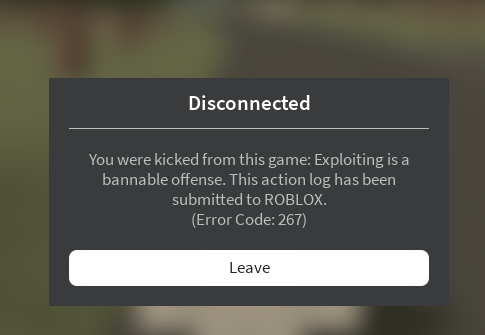
AutoHotkey Version 2 Intro YouTube . How To Add People Roblox Easily Your 2026 Guide . Roblox R6 Explained What Does It Really Mean Oar2 . How To Publish A Game On Roblox In 2026 Roblox YouTube . You Were Kicked From This Game Exploiting Is A Bannable Offense This





How To Message On Roblox 2026 A Quick Guide . VPN Roblox Terbaik 2026 Keamanan Dan Akses Tanpa Batas Untuk Pemain VPN Roblox 2026 Terbaik Melindungi Privasi Dan Akses Tanpa Batas 3756ba1bbf . 15 Game Roblox Horror Terbaik 2026 15 Game Roblox Horror Terbaik 2026 Paling Seram And Bikin Deg Degan 7f944699ce . False Copyright Ban On My Original Asset Automated Moderation Error . Roblox In 2026 Play On Roblox NoFilter


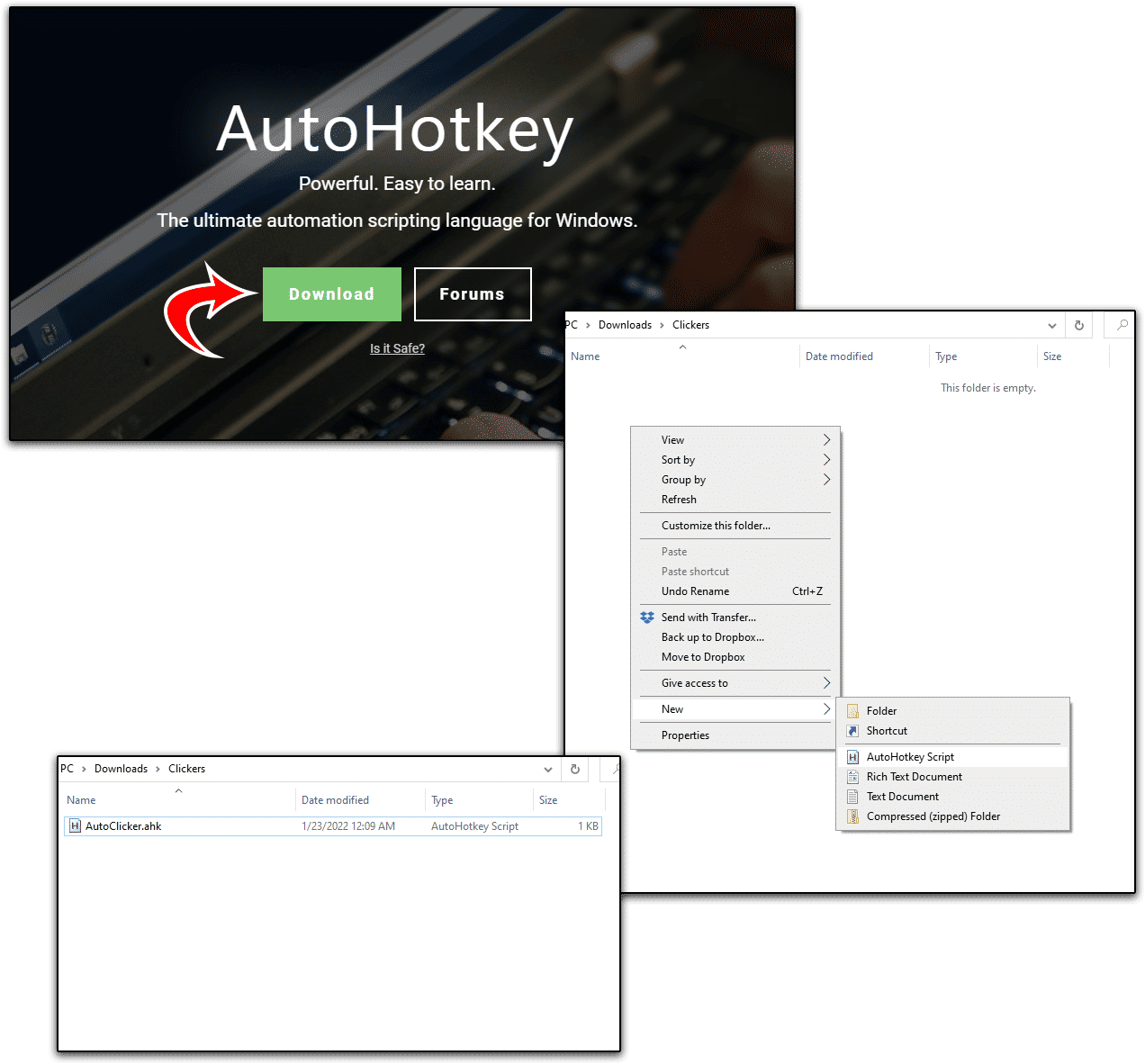

HOW TO USE AUTOHOTKEY FOR ROBLOX 2026 QUICK EASY YouTube . Roblox Chat Update 2026 Explained Mandatory Age New Roblox Chat Update 2026. Is Hugging Bannable Game Design Support Developer Forum Roblox . How To Make A Roblox Auto Clicker Techozu AutoHotKey Install . When Is The Next Roblox Ban Wave Expected